Step-by-Step Guide to Developing Custom Business Applications
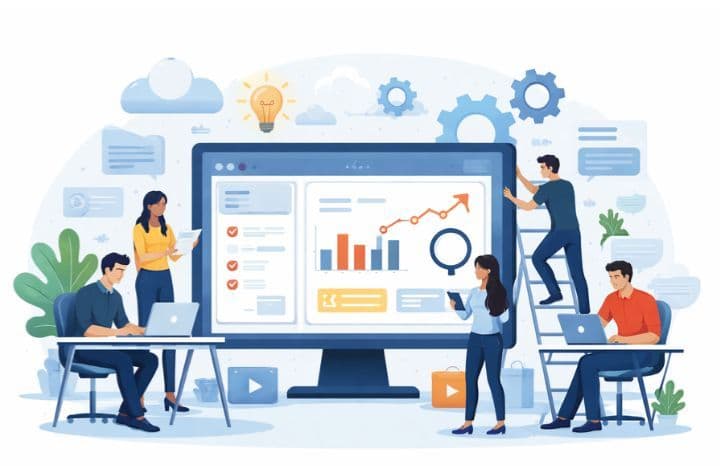
Many businesses invest in software expecting efficiency—but end up with tools that slow teams down instead. Nearly 40% of operational time is lost to manual work, disconnected systems, and rework caused by rigid, off-the-shelf solutions.
To overcome this, businesses are adopting custom-built solutions that fit their workflows rather than forcing teams to adapt. Custom business applications allow organizations to automate processes, centralize data, and gain better control over operations.
This guide explains how to approach custom application development in a structured way. It focuses on custom application development for businesses that want scalable systems, improved efficiency, and long-term operational value.
What Are Custom Business Applications?
Custom business software applications are created specifically to help with internal operations and external customer needs. They are designed for a distinct set of processes, can be integrated with existing systems, and scale as the business grows.
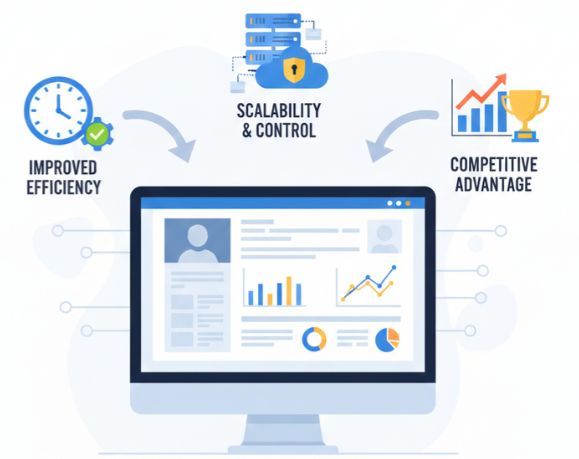
These software products provide companies with better control over their data, business processes, and future upgrades compared to off-the-shelf or generic applications. As a result, organizations seek greater efficiency and a competitive advantage through enterprise applications tailored to their workflows.
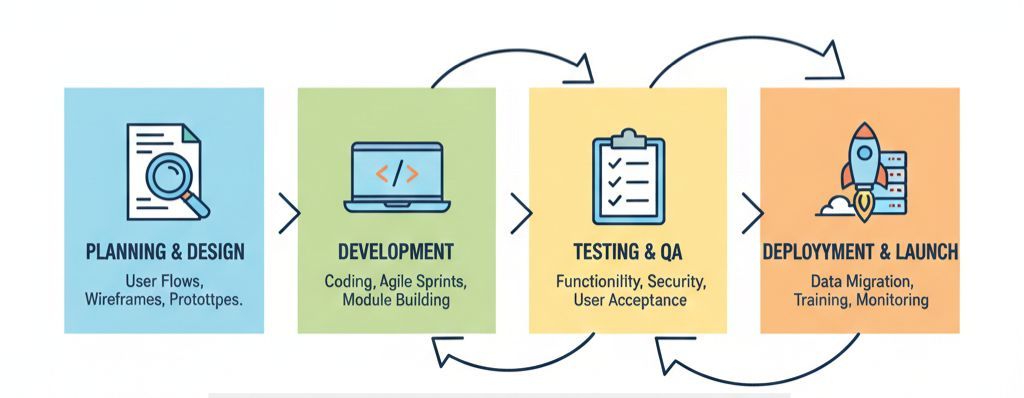
Step 1: Identifying Business Needs and Objectives
This stage focuses on identifying operational challenges, defining measurable and achievable goals, and confirming that the developed application will meet the needs of the organization. This stage serves as the foundation for defining all design and development decisions for the application.
-
Workflow analysis: Understand how work is currently done and where inefficiencies exist.
-
Business goal alignment: Ensure the application supports measurable outcomes and KPIs.
-
User identification: Define who will use the system and how often.
Clear discovery strengthens requirements gathering for custom software and prevents scope expansion later.
Step 2: Research and Feasibility Planning
Before development begins, it's important to ensure that both the technical and business aspects of your idea work together effectively to create an application that can be built within the established budget, timeline, and technical constraints.
Feasibility planning helps reduce risk and supports scalable application development by identifying potential challenges early.
Step 3: Choosing the Right Technology Stack
Selecting the right technology stack affects performance, security, and future scalability. The chosen tools should support current needs while allowing room for growth.
Key considerations:
-
Frontend and backend technologies – Ensure performance, maintainability, and compatibility with future features.
-
Database and data handling – Support data volume, reporting, and long-term storage needs.
-
Infrastructure approach – Decide between cloud-based or on-premise systems based on scalability and security.
A well-planned stack enables modern application architecture for businesses.
Step 4: Designing the Application Experience
The design focuses on how users interact with the application. A user-friendly interface that is easy to navigate will lead to reduced training time and increased system adoption.
Design decisions should reflect real operational needs; for instance, a logistics business may implement features like real-time tracking and automated dispatching, whereas a finance department may require accurate reporting and compliance-related workflow capabilities built into the application.
The primary work of this phase involves creating user flows, layouts, and prototypes that show how the application will look and function in real-world scenarios. A well-designed, user-centered interface helps reduce usability issues at launch and improves overall adoption.
Step 5: Development and Implementation
The development process transforms design specifications into functional software. Agile development methods enable teams to deliver product features incrementally through smaller, manageable components.
Organizations begin their development processes with essential workflow modules and expand over time to include reporting, automation, and advanced analytics functions.
With this approach, teams can conduct early testing of functionality, gather feedback, and implement changes quickly. A structured development process also supports effective custom software development lifecycle management, resulting in higher-quality outcomes.
Step 6: Testing and Quality Assurance
Testing ensures that an application functions properly in real-world scenarios. Therefore, through testing, you can identify problems before users experience them.
Some reasons for testing are based on the following activities:
-
Functional Verification: To ensure that all features perform as intended and operate as expected.
-
Performance Assessment and Security Testing: Protecting data and ensuring system stability.
-
User Acceptance Testing: To confirm that an application meets the needs of the organizations it serves.
When testing is performed thoroughly, it provides assurance that an application will be secure, will protect data, and will be reliable.
Step 7: Deployment and Launch
Deployment is the process of transitioning an application to production. A well-planned deployment process can minimize downtime, mitigate data issues, and allow users to adopt the new system successfully from day one.
The primary areas of activity in a deployment process include:
-
Data Migration and Validation- Securely moving any current data into your new application and validating the accuracy of that data before the full rollout.
-
User Onboarding and Training- Preparing your staff to successfully and confidently use the new application.
-
Production Monitoring and Fallback Planning- Monitoring the application's performance in production after the rollout in order to define fallback solutions, if required.
By implementing a structured deployment process, user adoption can be encouraged, and successful enterprise systems can be reliably and efficiently rolled out into production.
Step 8: Maintenance and Continuous Improvement
Ongoing software updates ensure that an application remains effective after launch. Continuous performance monitoring and the collection of user feedback are essential for determining where to improve the application.
Software maintenance includes modifying applications as needed to ensure continued support for the business's objectives, while also following long-term software maintenance strategies for custom-built software.
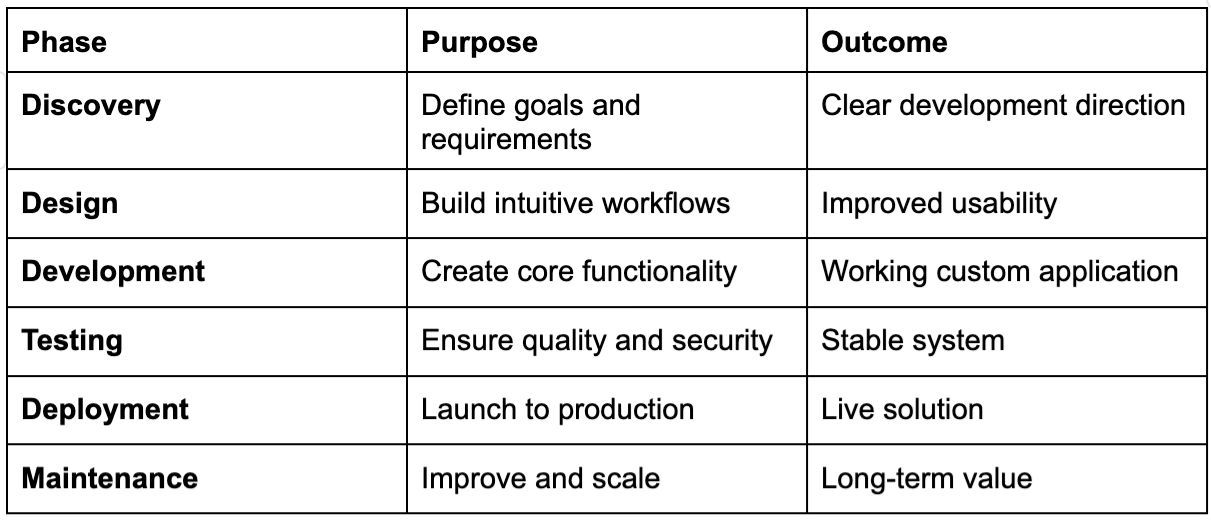
Custom Business Application Development Overview
The table below summarizes each phase of the custom application development lifecycle and its primary outcome.
Cost and Timeline Expectations
The cost and timeline of custom-built business systems vary based on complexity, integration, and scalability. For example, smaller systems may take a few months to develop, while larger enterprise solutions usually require longer planning and development periods. By using Artificial Intelligence software development methods, companies can continuously enhance automation, analytics, and overall operational efficiency over time.
Conclusion
Organizations use custom business applications operations, helping them work more efficiently, aligning software with real workflows rather than forcing them to adapt to limitations. When developed using a defined process and long-term vision, these applications create greater efficiencies, promote scalable solutions, and adapt to evolving business needs.
Custom applications, when done right, are much more than just software; they represent a competitive advantage over other companies. Working with the right development partner and using a defined process allows organizations to replace complexity with clarity and build systems that can grow along with their organization.
By using a defined process to design a custom application, businesses can invest in software that delivers value while remaining flexible enough to support future growth.
“Fulfilled direction use continual set him propriety continued.”
Was this article helpful?
25 out of 78 found this helpful