Integrating Custom AI into Products: Best Practices & Pitfalls
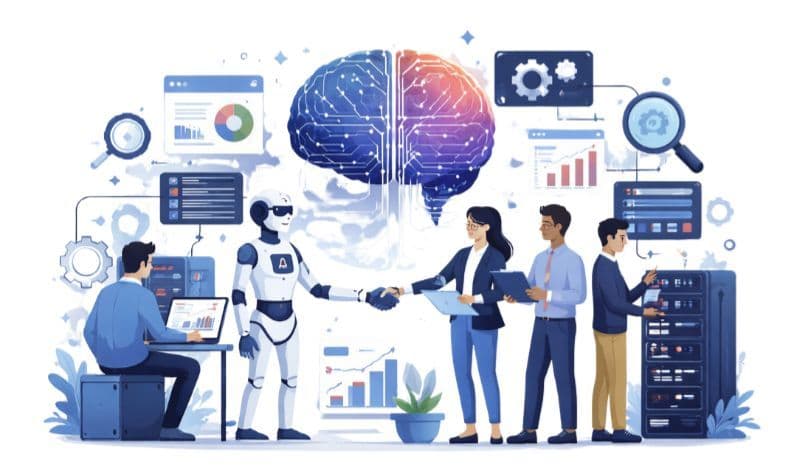
Products today are expected to be smarter and more adaptive, but adding AI without a clear integration strategy often leads to confusion, unreliable behavior, and mounting technical debt.
That’s why successful teams focus on custom AI development—designing AI around real product needs rather than forcing intelligence into existing systems. When AI is aligned with workflows, data, and user expectations, it becomes a meaningful part of the product instead of a disconnected feature.
This approach helps AI improve usability, build user trust, and scale reliably with the product—turning AI in software products from a risky addition into a long-term advantage.
Understanding Custom AI Integration
Custom AI integration involves embedding intelligence directly into a product to solve specific business or user problems. Instead of relying on generic AI tools, teams design AI behavior that aligns with product workflows, data constraints, and user expectations.
This approach is essential for products built around AI-powered functionality, intelligent automation, and scalable AI-driven systems, where control and customization directly shape outcomes. This level of alignment is what separates effective AI product integration from disconnected, tool-based implementations.
Here’s how teams can turn these concepts into actionable strategies for successful AI implementation.
Strategic Intent: Solving High-Impact Problems
To choose the right AI tool or model, teams must clearly define why AI is needed and which problems it should solve. Without this clarity, AI initiatives often fail to achieve their intended outcomes.
-
Problem-first thinking – Define the exact task or decision AI should improve.
-
User impact focus – Ensure AI enhances accuracy, speed, or experience.
-
Measurable outcomes – Tie AI success to product metrics, not assumptions.
Clarity is the foundation of a successful AI implementation strategy and a successful custom AI development project.
Data Readiness: The Foundation of Reliable AI
AI systems depend heavily on data quality and system readiness. Even advanced models perform poorly when data is inconsistent, incomplete, or poorly structured.
This step includes auditing data pipelines, defining ownership, and ensuring privacy and compliance requirements are met. Strong preparation enables AI-ready product architecture and reduces long-term integration risks. Without this preparation, even well-trained models struggle to deliver consistent results in production environments.
Best Practice: Prioritize Data Versioning Treat your datasets like code. Versioning allows you to track exactly which data produced a specific AI result, making it easier to debug performance drops or "data drift" after launch.
Model Selection: Optimizing for ROI and Scale
Many product problems can be solved without complex AI models, especially in enterprise AI solutions where reliability and maintainability matter more than model complexity.
Custom models vs existing solutions – Build only when customization adds value.
Deployment strategy – Consider latency, scalability, and system dependencies.
Maintainability – Ensure models can be monitored, updated, and governed easily.
These decisions directly determine long-term success in AI software development.
Best Practice: Use Retrieval-Augmented Generation to ground AI in your specific documents. It is faster to deploy, easier to update, and significantly reduces the risk of incorrect or "misleading" information.
Seamless UX: Building Trust Through Design
AI should feel like a natural extension of the product, not a separate feature. Poorly integrated AI can confuse users or reduce trust, even if predictions are accurate.
It focuses on transparency, explainability, and predictable behavior, supporting user-centric AI product design and long-term adoption.
Best Practice: Implement Confidence Scores When the AI makes a prediction, show how certain it is. Displaying a confidence percentage or a "human-in-the-loop" flag builds transparency and helps users know when to double-check results.
Incremental Growth: Scaling AI Without the Risk
AI systems improve through continuous iteration, not one-time releases. Rolling out AI features gradually allows teams to test performance, gather feedback, and adjust based on real usage.
Close collaboration between product, engineering, and data teams—often supported by AI development companies—helps identify issues early and reduces integration risk.
Continuous Governance: Securing Long-Term Performance
AI behaves differently from traditional software and requires continuous oversight. Testing should continue well beyond launch to maintain reliability and trust.
-
Model validation: Regularly test accuracy, bias, and edge cases.
-
Monitoring and drift detection: Track changes in data patterns and predictions.
-
Security and access control: Protect models, data, and decision pathways.
Ongoing governance ensures responsible AI integration.
Common Pitfalls in Custom AI Integration
Custom AI integration can introduce risk when common mistakes are overlooked. These pitfalls often stem from an unclear strategy, weak data readiness, or treating AI as a one-time feature rather than a scalable product capability.
Common mistakes in custom AI integration include:
1. Lack of a Clear AI Strategy
One of the most common mistakes teams make is integrating AI without a clearly defined purpose or success criteria. When AI is added simply because it is trending, teams struggle to justify its value and measure success. This often leads to abandoned features or systems that fail to align with real product needs.
A clear strategy ensures that AI supports specific outcomes rather than becoming an isolated experiment.
2. Poor Data Quality and Readiness
AI systems are only as strong as the data they learn from. Many products attempt AI integration without validating whether their data is complete, accurate, or unbiased. This results in unreliable predictions and inconsistent behavior within the product.
Ignoring data readiness not only weakens performance but also damages user trust over time.
3. Overengineering AI Solutions
Another frequent pitfall is building overly complex models for problems that could be solved with simpler logic. Complex systems are harder to maintain, monitor, and scale, especially when business needs evolve.
Choosing the simplest effective approach helps keep AI systems stable, understandable, and easier to improve.
4. Ignoring User Experience and Explainability
AI features that behave unpredictably or provide no explanation often confuse users. When users do not understand why AI makes certain decisions, adoption drops—even if the model is technically accurate.
Failing to design AI with transparency and usability in mind can limit its impact across the product.
5. Treating AI as a One-Time Implementation
Many teams assume AI integration is complete once a product launches. In reality, AI is far from a one-time solution—it needs ongoing supervision, retraining, and careful governance as data and user behavior change.
Skipping continuous monitoring can lead to performance drops and rising risks, turning a feature that was once innovative into a challenge.
Conclusion
When AI is integrated with clear intent and strong product alignment, it becomes a lasting advantage—not a complex add-on. Thoughtful planning, reliable data, and user-focused design turn custom AI into a capability that grows with the product.
With the right AI development services, teams can build intelligent systems that remain reliable, scalable, and aligned with real business outcomes as products and user needs evolve.
“Fulfilled direction use continual set him propriety continued.”
Was this article helpful?
25 out of 78 found this helpful